
Banks commonly show an IBAN in account details, online banking or account statements: usually under “account details.” If you only have your national account number, you can calculate the IBAN from it. Here are all five places to look, fastest first.
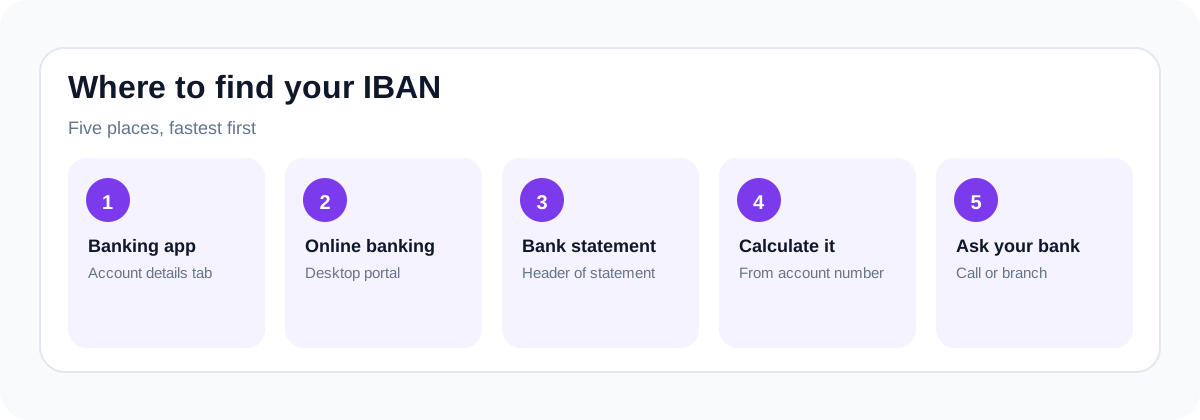
1. Your banking app (fastest)
Open the app → tap the account → “Account details” or “Show IBAN.” Most apps have a copy button and some show a shareable QR code.
2. Online banking
Log in on desktop → select the account → look for “Account details,” “Statements,” or a “ⓘ” info icon. The IBAN is listed alongside the BIC/SWIFT code.
3. Bank statements
Paper or PDF statements may show the IBAN near the account information: near your name, address, and account number. It starts with your 2-letter country code (DE, FR, GB…).
4. Calculate it from your account number
Know your sort code + account number (UK) or Bankleitzahl + Kontonummer (Germany)? Enter them in our IBAN calculator to calculate international check digits from a complete BBAN. The calculator does not apply every bank’s domestic conversion rules, so the bank must confirm any result before real use.
5. Ask your bank
Call or message support, or visit a branch. They will give you the IBAN and BIC together: exactly what senders need.
What an IBAN looks like
15 to 32 characters starting with 2 letters: DE89 3704 0044 0532 0130 00 (Germany), FR14 2004 1010 0505 0001 3M02 606 (France). Learn the anatomy in what is an IBAN?
A practical lookup sequence
Start with the exact account that will receive the payment. A bank app may show several accounts or currency balances, and their receiving details can differ. Open that account’s details screen and look for labels such as “IBAN,” “international details,” or “receive a transfer.” Copy the value using the app’s own copy control where possible.
If the app does not display it, download a statement for that account and look near the account information at the top. Some banks show international details on a separate page or document. A debit card number is not a substitute, and not every bank prints an IBAN on its cards.
If neither place helps, use the support option inside your bank app or the contact information on the bank’s official website. Ask whether the selected account has an IBAN and which details a sender needs for the relevant currency and payment method.
Check the details before sharing them
- Confirm that the account holder name and selected account match the intended recipient.
- Keep the complete country prefix and check digits. Do not send only the domestic account component.
- Copy from the bank-issued source rather than a screenshot someone retyped.
- Use a format check to catch transcription errors, while remembering it does not prove ownership.
What if your bank does not use IBAN?
Some banking systems use other receiving details. Do not add a country prefix to a domestic account number or use a random generator to create international details. Ask the receiving bank for its inbound transfer instructions. Those instructions may require an account number, routing code, BIC, bank address or intermediary details.
When receiving details change
An invoice email that replaces familiar bank details deserves a separate confirmation. Contact the recipient using a phone number or channel you already trust, rather than contact information supplied in the same unexpected email. A checksum-valid IBAN can still belong to the wrong recipient.
For your own account, keep a copy of the bank-issued receiving instructions and share only what the sender needs. Never share your banking password, PIN or one-time login code as part of an IBAN lookup.
Sources and scope
Swift: national IBAN formats and registration authority.
Examples and test matrices are explanatory fixtures, not receiving instructions. This page covers format checks and software testing. It does not verify account ownership or provide a guarantee that a payment will succeed.
Technical notes updated 8 October 2026. Read the editorial policy. Send a correction.